OMNIView
Resource Center
Setup guides and quick-start instructions for every way you watch OMNIView.
Guides & Downloads
Everything you need to get set up, organized by device.
Set-Top Box and Remote Control
Mobile App
Quick User Guide
Get the most out of the OMNIView app once you’re up and running.
Quick Start Guide
Download, sign in, and start streaming on your phone or tablet.
Amazon Fire TV
Quick User Guide
Navigating OMNIView on your Fire TV or Fire TV Stick.
Quick Start Guide
Install the app and sign in on your Fire TV device.
Apple TV
Quick Start Guide
Install the app and sign in on your Apple TV.
Quick User Guide
Navigating OMNIView on your Apple TV.
Channel Line-Ups
Complete Streaming Channel Line-up
The full channel line-up, alphabetically.
All-Star Channel Line-Up
The channel line-up for the All-Star package.
Select Channel Line-Up
The channel line-up for the Select package.
Locals+ Channel Line-Up
The channel line-up for the Locals+ package.
Broadband TV Channel Line-up
The channel line-up for Broadband TV.
Plex, Pluto, Tivo+ Channel Line-Up
The line-up for over 400 Plex, Pluto, and TiVo+ channels.
Supported devices.
Click a device type to see which models are supported.
Managed Android TV Set-Top Box
Android TV OS 11 and 12
- Evolution Digital Force 1 (Android TV 11 and 12)
- Evolution Digital Fuse 4K (Android TV 12)
Features include
- Google-certified Operator Tier with Custom Launcher
- Netflix, Amazon Prime certified
- Custom TiVo remote control with numeric buttons, channel buttons, menu shortcuts, Netflix, Voice and TV On/Off and TV Volume
Apple Phone & Tablet
iPhone (iOS 14+)
- SE (gen 1–2)
- 8, 8+
- XR, X, XS, XS Max
- 11 Pro, 11 Pro Max
- 12 mini, 12, 12 Pro, 12 Pro Max
- 13, 13 Mini, 13 Pro, 13 Pro Max
- 14, 14 Plus, 14 Pro, 14 Pro Max
- 15, 15 Plus, 15 Pro, 15 Pro Max
- 16, 16 Plus, 16 Pro, 16 Pro Max
iPad (iOS 14 – iPadOS 14+)
- iPad Air 2, iPad mini 4, iPad Gen 5, M2
- iPad Pro 9.7″, 10.5″, 11″ (gen 1–4), 12.9″ (gen 1–6)
- iPad Pro 11″ (M4)
Android Phone & Tablet
Various models, Android 11+.
- Pixel 3, 3XL, 3A, 3AXL, 4, 4XL, 4A
- Pixel Slate
Samsung
- Galaxy S9, S9+, S10E, S10, S10+
- Note 9, 10, 10+
- Tab 5SE, S6
Supported but not tested — Google
- Pixel 4A with 5G
- Pixel 5
Supported but not tested — Samsung Galaxy
- Z Fold2 5G, Z Flip
- Note20 Ultra 5G
- Tab S6 5G, Tab S7+
- S21 Ultra 5G, S21+ 5G, S21 5G
Supported but not tested — other
- Sony Xperia 5 II
- LG Q7 Plus, Wing 5G
- OnePlus 8, 8T, 8 Pro, Nord N10 5G, Nord N100
Streaming Stick
Amazon Fire TV (Fire OS 5+)
- Fire TV Stick 4K (1st Generation) – 2018
- Fire TV Stick (3rd Generation) – 2020
- Fire TV Stick Lite – 2020
- Fire TV Stick 4K Max – 2021
- Fire TV Stick 4K (2nd Generation) – 2023
- Fire TV Stick Lite (2nd Generation) – 2023
Roku (OS 9+)
- Roku devices are currently unsupported
Android TV (OS 9+)
- TiVo Stream 4K
- Chromecast with Google TV (2020) (excludes Google Cast support)
Support ends Dec 31, 2025
- Fire TV Stick (2nd Generation) – 2016
- Amazon Gen 3 Fire TV Pendant – 2017
Amazon Fire TV (Vega OS)
- All Vega OS devices are currently unsupported. TiVo is currently investigating effort to support.
Retail Streaming Set-Top Box
Apple (tvOS 14+)
- Apple TV (A1625)
- Apple TV 4K (A1842)
- Apple TV 4K (A2169)*
Roku (OS 9+)
- Roku devices are currently unsupported
Support ends Dec 31, 2025
- Ematic Jetstream AGT418 STB (OS 9+)
Support ends Jun 30, 2026
- Amazon Fire TV Cube (Gen 1)
- Xiaomi Mi TV Stick – 2020
- Xiaomi Mi Box – 2016
- Xiaomi Mi Box S 4K HDR – 2018
- Nvidia Shield TV (2017, 2019)
- Nvidia Shield TV Pro (2017, 2019)
Support ends Dec 31, 2026
- Amazon Fire TV Cube (Gen 2)
*Known issue: inconsistent functionality of D-Pad keys on the new remote control. Will be addressed in a future client update.
OEM Android Operator Tier Set-Top Box
Android (OS 9+)
- ARRIS VIP6102W
- Evolution Digital EVO PRO (OS 10+)
Support ends Dec 31, 2025
- KAON KSTB2020
Support ends Jun 30, 2026
- AMINO AMIGO 7X V2
No other set-top boxes are validated or tested.
Smart Soundbar
Amazon Fire TV (OS 6+)
- Fire TV Edition Anker Nebula D3000 (2019)
Supported but not tested
- Android TV (OS 9+) – JBL Link Bar
- Roku (OS 9+) – Roku devices are currently unsupported
Smart TV
Supported with limited testing — Amazon Fire TV Omni 4K Series
- Fire TV Omni (2021 and newer) – 4K43M600A*, 4K50M600A, 4K55M600A, 4K65M600A, 4K75M600A
*Tested and validated. Remaining sizes are untested but use the same chipset and Fire TV OS.
Supported but not tested — Amazon Fire TV 4-Series 4K UHD
- Fire TV 4-Series (2021) – SKUs ending with N400A
Supported but not tested — Amazon Fire TV Edition (OS 5+)
- Element (2017) 4K AFTRS
- Insignia (2018) HD – NS-24DF310NA19
- Insignia (2018) 4K – NS-43DF710NA19, NS-50DF710NA19, NS-55DF710NA19
- Insignia (2020) 4K – NS-43DF710NA21
- Toshiba (2018) 32LF221U19
- Toshiba (2018/19) 43LF621U19, 55LF621U19, 43LF711U20
- Toshiba (2020) 50LF621U21
Supported but not tested — Android TV (OS 8+)
- Sony – Z9G, Z8H, A9G, A9F, Z9F, A8H, A8G, A1E, A8F, X950H, X950G, X900H, X850G, X800H, X900F, X850F, X830F, X780F, X750H, X750F, X940E/X930E, X900E, X805E, X800E, X720E
- Sharp Smart TVs – XU, UA6800X, AL1X, UE630X, LE580X
- Philips – 5000, 5704
- Hisense – H55, H65, H8, H9, H55, H6570, H6590
**Some Hisense Smart TVs with Google TV and TCL Fire OS Smart TVs have been reported to exhibit freezing/hesitating/stuttering video issues, which are currently under investigation.
Roku Smart TV (OS 8+)
- Roku devices are currently unsupported
Smart TV
- Samsung (Tizen OS 5.0+) – 2021 models and newer
- LG (webOS TV 4.5+) – 2021 models and newer
Amazon Fire TV (Vega OS)
- All Vega OS Smart TVs are currently unsupported. TiVo is currently investigating effort to support.
Support ends Jun 30, 2026
- Any Android TV Smart TVs (e.g. Sony, Sharp, Philips and Hisense) running Android TV OS 10 or older
Game Console
There are no plans to support any gaming consoles.
Web Browser
- Google Chrome (89+)
- Mozilla Firefox (87+)
- Microsoft Edge (89+)
- Apple Safari (13+)
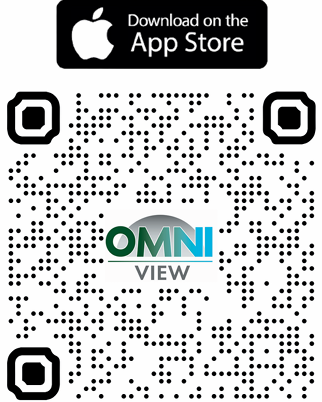
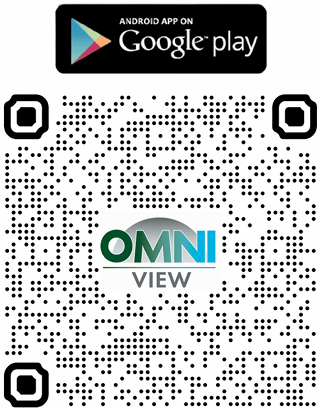
Get the OMNIViewTV app.
Scan a code below to download the app for iOS or Android.
Frequently asked questions.
Answers to the questions we hear most about OMNIView.
What is OMNIView?
OMNIView is MIDTEL’s streaming TV service, delivered over our fiber network. Watch live local channels, entertainment and sports, plus a growing lineup of bonus streaming channels — on your TV, phone, tablet, or computer.
Do I need MIDTEL internet to use OMNIView?
OMNIView works best on MIDTEL fiber internet, but you can also sign in and stream over any solid broadband connection when you’re away from home. For the smoothest experience at home, we recommend an OMNINet plan of at least 100 Mbps.
Which devices can I watch OMNIView on?
OMNIView runs on your managed set-top box, the OMNIViewTV mobile app (iOS and Android), Amazon Fire TV, Apple TV, and select smart TVs and browsers. See the full “Supported devices” list above for exact models and OS versions.
How many devices can stream at the same time?
It depends on your plan and package. Most households can stream on multiple screens at once without a problem — contact our team and we’ll confirm the limit for your specific plan.
Can I record shows with OMNIView?
Yes. OMNIView includes cloud DVR so you can record your favorite shows and watch them whenever it’s convenient, on any of your connected devices.
Can I watch OMNIView when I’m traveling?
Yes — sign in with your MIDTEL account on the OMNIViewTV app anywhere you have an internet connection to stream your channels and recordings on the go.
What channels are included?
Your lineup depends on your package. Download the Complete Streaming Channel Line-up above for the full, up-to-date channel list, or give us a call and we’ll walk through the options with you.
I forgot my password — how do I sign back in?
Use the “Forgot password” link on the sign-in screen of the app or set-top box to reset it. Still stuck? Our Help Desk can reset it for you — see the contact info below.
Something isn’t working — who do I contact?
Start with the quick-start guide for your device above — it covers most setup issues. If you’re still stuck, reach out to our local support team below and we’ll get you sorted out.
Still need a hand?
Our local team can walk you through setup on any device.